
See the credential review workflow
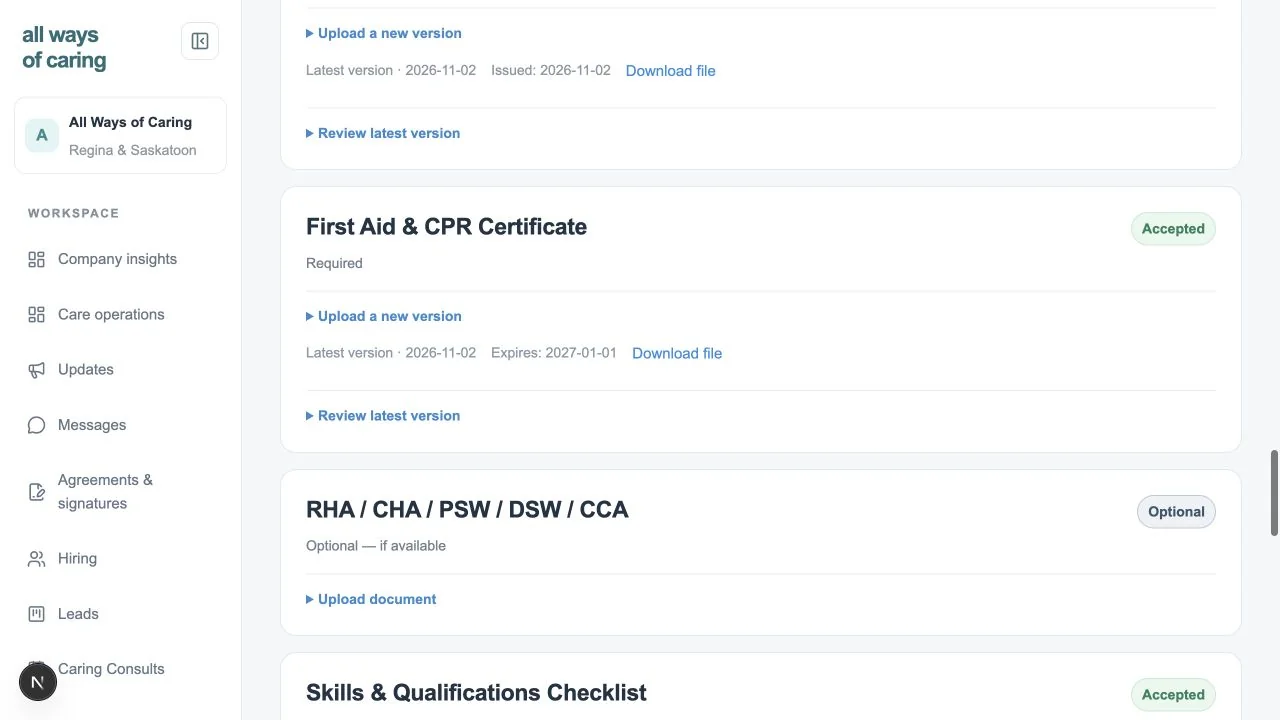
Reviewers can see accepted evidence and its saved expiry. Upload, document acceptance, onboarding approval, and activation are separate actions. The free worksheet is a separate browser-only tool and does not connect to these staff records.
When the same person wears several hats
A small agency may have the same office coordinator answer a prospective family, check a caregiver’s availability, and prepare an invoice later in the day. A folder for documents, a calendar for visits, and a separate list of follow-ups can each work on their own. The difficulty comes when the coordinator has to remember which record changed and what that means for the next visit.
This proposed use case focuses on the handoffs between those jobs. It does not assume a minimum team size, a subscription tier, or an implementation timeline. Estrella’s commercial agency setup is under development. A product walkthrough can help you decide which existing Kalinga foundation workflows fit the way your team actually works.
Make the first follow-up easy to find
Start with a fictional inquiry. Record what the person requested, identify the owner of follow-up, and agree on a dated next action. Then explore the deliberate handoff into patient setup and care preparation. A small team benefits from seeing what still needs a decision without treating a first conversation as approval to deliver care.
Bring an ordinary example and a case that stops before a visit. Ask where a declined request belongs and how its history is retained. The intake feature page explains the underlying distinctions between logging contact, following up, and converting a lead. Logging an action is not the same as sending a message.
Keep staff readiness visible before making promises
A completed document folder should not be the only reference when agreeing to a future visit. In the verified local credential workflow, an unreviewed replacement removes readiness, a required expiry is checked against the whole visit window, and a reviewed renewal restores eligibility. These are software checks against configured requirements; the agency remains responsible for deciding which requirements apply.
The screenshot above comes from a synthetic local test of that review workflow. It does not demonstrate hosted malware scanning, tenant isolation, or a complete commercial onboarding service. Ask to see your intended staff role and visit dates before relying on a generic checklist.
Introduce the workflow in manageable steps
Write down who owns intake, who reviews evidence, who publishes visits, and who reviews financial preparation. These responsibilities can belong to the same person while still remaining separate actions in the workspace. Practise a changed assignment and a corrected record using fictional information before discussing migration.
Use discovery to identify which existing records would stay in their current system and what a transition would require. Pricing, migration formats, support commitments, and a standard setup period have not been published. A focused demonstration should resolve those questions explicitly rather than assume a small agency needs every planned capability at once.
See how the workflow fits your agency
Discuss your team’s needs, explore the Kalinga-based workflows, and confirm which capabilities are available for your intended use.
Request a demo